
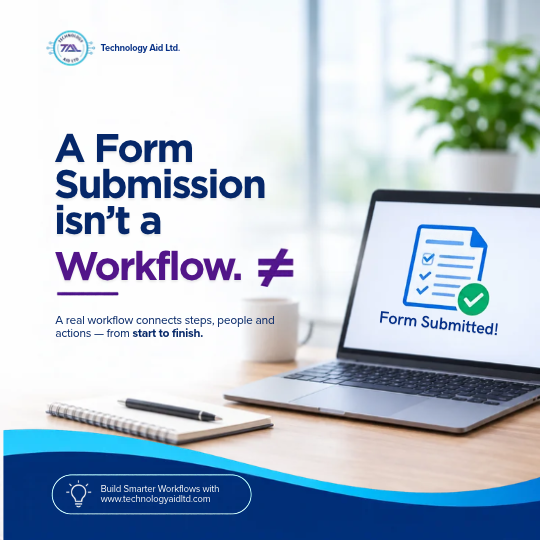
A Form Submission Isn’t a Workflow: How Business Automation Turns Requests into Results
Online forms have become an essential part of modern business. Companies use them to collect customer inquiries, receive service requests, generate leads, process applications, and gather important information.
But collecting information is only the beginning.
What happens after someone clicks the submit button?
Does the right person receive the request? Is a follow-up scheduled? Does the team know what to do next? Can everyone track the progress?
If these steps depend on manual work, disconnected tools, or someone remembering what to do, your business may have a process problem.
A form submission collects information. A workflow moves that information toward a result.
Understanding this difference can help businesses reduce repetitive tasks, improve communication, and create more organized operations.
What Is the Difference Between a Form Submission and a Workflow?
A form submission is a single action. It allows a person to enter information and send it to a business.
A workflow is a connected series of steps that helps move a task from beginning to completion.
For example, when a potential customer submits a contact form on your website, the submission itself does not guarantee that the customer will receive a response.
A complete workflow could include:
- The customer submits an inquiry.
- The inquiry is recorded in the appropriate system.
- The relevant team member receives a notification.
- A follow-up task is assigned.
- The team tracks the inquiry until it is resolved.
This process helps ensure that the request does not simply sit in an inbox waiting for someone to notice it.
3 Problems That Happen When Forms Are Not Connected to Workflows
1. Important Requests Get Missed
When form submissions arrive through email or separate platforms, it can be difficult to keep track of every request.
A missed notification or delayed response may result in a lost business opportunity.
With workflow automation, businesses can organize incoming requests, notify the right people, and create a more consistent response process.
2. Teams Spend Too Much Time on Manual Follow-Ups
Many businesses still depend on employees to copy information, send reminders, update spreadsheets, and assign tasks manually.
These activities may seem small, but they can consume valuable time throughout the day.
A well-designed workflow can automate repetitive steps and allow employees to focus on more meaningful work.
3. There Is No Clear Visibility Into Progress
When a request moves between emails, spreadsheets, and different team members, tracking its status becomes difficult.
Business owners may struggle to answer simple questions:
- Has the request been assigned?
- Is someone working on it?
- Has the customer received an update?
- Is the task complete?
A connected workflow provides a clearer view of what is happening and what needs attention.
How Workflow Automation Makes Business Processes Smarter
Workflow automation connects the steps that happen after an action is completed.
Instead of relying on manual coordination, businesses can create structured processes that guide tasks from one stage to the next.
Here are some practical ways workflow automation can help:
Automated notifications: Send alerts when a new request arrives or when a task needs attention.
Task assignment: Direct requests to the appropriate team or employee.
Follow-up reminders: Help teams respond on time and reduce the risk of forgotten tasks.
Status tracking: Make it easier to understand where a request stands.
Data organization: Keep important information accessible and organized across the process.
The goal is not to automate everything. It is to remove unnecessary manual steps and make essential business processes easier to manage.
When Should Your Business Consider Workflow Automation?
Your business may benefit from workflow automation if:
- Your team receives a large number of customer inquiries.
- Employees repeatedly copy information between tools.
- Follow-ups are often delayed or forgotten.
- You rely heavily on spreadsheets to track business activities.
- It is difficult to identify who is responsible for a task.
- Your business is growing, but your processes remain manual.
These signs indicate that your current process may need more structure.
Starting with one repetitive process can be a practical way to improve efficiency without making unnecessary changes to your entire business operation.
How Technology Aid Ltd. Helps Businesses Build Smarter Workflows
At Technology Aid Ltd., we understand that digital efficiency is about more than collecting information or adding another tool to your business.
It is about creating processes that help people work better.
Our digital solutions can support businesses looking to improve their operations through:
Business Process Automation
Reduce repetitive manual activities and create more organized business processes.
Custom Software Development
Build digital solutions designed around your business requirements and operational needs.
Web Design and Development
Create professional websites that support customer inquiries, lead generation, and business communication.
Virtual Assistant and BPO Services
Support routine business activities so your team can focus on priorities that matter.
Whether you are managing customer inquiries, internal requests, or daily administrative tasks, the right digital workflow can help your business move forward with greater clarity.
Build a Workflow, Not Just a Form
A successful business process does not end when information is submitted.
It continues through assignment, communication, follow-up, and completion.
When these steps are connected, your team can spend less time managing routine activities and more time serving customers and growing the business.
Technology Aid Ltd. helps businesses move beyond manual processes with practical digital solutions and smarter workflows.
Ready to make your business processes more organized and efficient?
Visit Technology Aid Ltd. to explore our digital solutions.
🌐 https://technologyaidltd.com/
Frequently Asked Questions (FAQs)
What is workflow automation?
Workflow automation is the use of technology to connect and manage repetitive business tasks. It can help automate notifications, task assignments, follow-ups, approvals, and other routine activities.
Is a form submission considered workflow automation?
No. A form submission is an individual action that collects information. Workflow automation connects the submission to the next steps, such as assigning a task, notifying a team member, or scheduling a follow-up.
How does workflow automation help small businesses?
Workflow automation can help small businesses reduce repetitive work, improve task organization, manage customer requests, and create more consistent processes.
Can workflow automation improve lead management?
Yes. A lead management workflow can organize incoming inquiries, assign leads to team members, trigger follow-up reminders, and help track the progress of potential customers.
Does every business need workflow automation?
Not every business needs complex automation. However, businesses that frequently repeat tasks, manage many requests, or struggle with manual coordination may benefit from automating selected processes.
About Technology Aid Ltd.
Technology Aid Ltd. provides digital solutions to help businesses improve their online presence and operational efficiency through web development, business process automation, BPO, and virtual assistant services.
Learn more: https://technologyaidltd.com/